No Proxy on Mac: A Simple Guide for Users
Understanding how to configure the NO_PROXY environment variable on macOS is essential for developers, system administrators, and technical professionals who need to bypass proxy servers for specific domains or IP addresses. This configuration allows direct connections to certain resources while maintaining proxy routing for others, creating a more efficient and flexible network environment. Whether you’re working with APIs, local development servers, or internal corporate networks, mastering this setting can significantly improve your workflow and troubleshooting capabilities.
The NO_PROXY variable represents a critical intersection between network infrastructure and system configuration—areas where the interaction between user systems and their technical environment determines operational efficiency. Just as ecological systems require balance between different components, network configurations require proper tuning to function optimally. This guide provides comprehensive, practical instructions for implementing NO_PROXY on macOS systems, ensuring you can navigate proxy configurations with confidence and precision.
Understanding NO_PROXY and Its Purpose
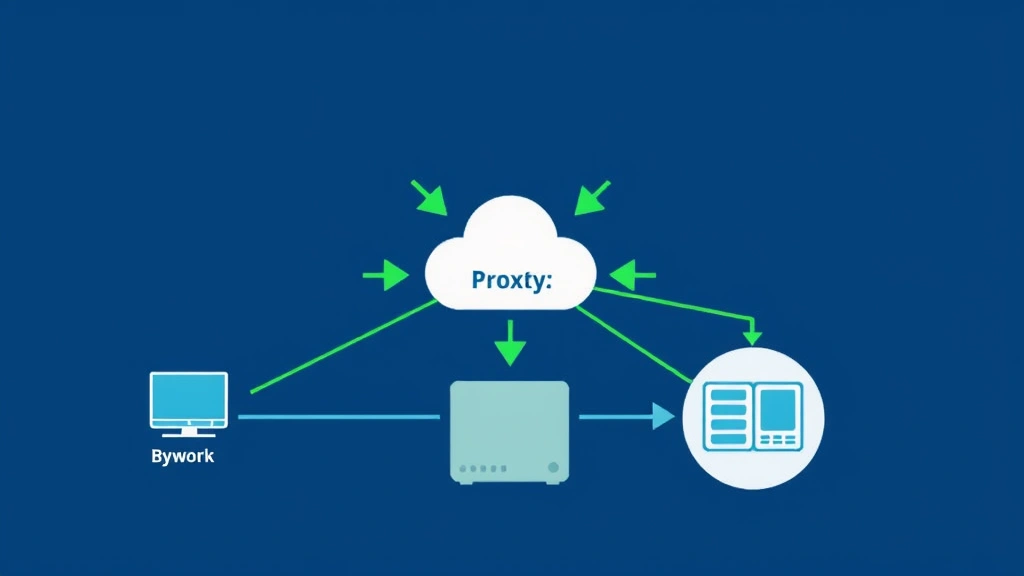
The NO_PROXY environment variable serves as a whitelist mechanism within your macOS system, specifying which hosts, domains, or IP address ranges should bypass your configured proxy server. When your system attempts to connect to a resource, it first checks the NO_PROXY list; if the destination matches an entry in this list, the connection proceeds directly without routing through the proxy server. This functionality proves invaluable in scenarios where certain internal resources, localhost services, or trusted domains need unrestricted access.
In corporate environments, proxy servers typically filter and monitor all outbound traffic for security and compliance purposes. However, this centralized approach can create bottlenecks for frequently accessed internal resources or introduce latency issues for local development work. The NO_PROXY variable elegantly solves this problem by creating exceptions to the proxy rule, allowing direct connections to specified destinations while maintaining proxy protection for all other traffic.
Understanding the relationship between your system environment and operational requirements mirrors how ecosystems balance regulatory mechanisms with adaptive responses. Just as natural systems maintain equilibrium through selective processes, network systems achieve optimal performance through intelligent traffic routing decisions.
How NO_PROXY Works on macOS
macOS implements proxy configuration through environment variables that applications consult before establishing network connections. The primary variables include HTTP_PROXY, HTTPS_PROXY, and FTP_PROXY, which specify proxy servers for different protocols. The NO_PROXY variable works alongside these, providing a matching mechanism that applications respect when determining whether to use the proxy.
The matching process operates through pattern comparison. When an application needs to connect to a destination, it compares that destination against each entry in the NO_PROXY list. If a match is found, the connection bypasses the proxy. The matching supports several formats: exact hostnames, domain wildcards using leading dots, IP addresses, and CIDR notation for IP ranges. This flexibility allows administrators to create precise rules matching their specific network topology.
On macOS specifically, environment variables can be set in several locations depending on your shell and use case. Modern macOS systems typically use zsh (introduced in macOS Catalina), though bash remains available. Each shell reads configuration files at startup, and environment variables defined in these files become available to all subsequently launched applications. Understanding this inheritance model is crucial for ensuring your NO_PROXY settings apply consistently across your system.
The implementation differs slightly between GUI applications and command-line tools. Command-line utilities directly read environment variables from your shell, while GUI applications may require additional configuration steps or may read proxy settings from macOS’s system preferences instead of environment variables. This distinction explains why some applications might not respect your NO_PROXY settings even when they’re properly configured in your shell.
Setting NO_PROXY in Your Shell Configuration
To configure NO_PROXY on macOS, you’ll need to edit your shell configuration file. For zsh (the default shell on modern macOS), this file is typically ~/.zshrc. For bash, use ~/.bash_profile or ~/.bashrc. Open your preferred text editor and add the NO_PROXY variable with appropriate values.
The basic syntax follows this pattern:
export NO_PROXY=”localhost,127.0.0.1,.local”
This example configuration bypasses the proxy for localhost connections, the loopback IP address, and any host in the .local domain. You can expand this list by adding additional entries separated by commas, with no spaces around the commas (though some implementations tolerate spaces).
To implement this on your macOS system, follow these steps:
- Open Terminal application
- Enter the command: nano ~/.zshrc (or use your preferred editor)
- Navigate to the end of the file using Ctrl+End or Command+End
- Add a new line with your NO_PROXY configuration
- Press Ctrl+X, then Y, then Enter to save and exit
- Run source ~/.zshrc to apply changes immediately
- Verify the setting with echo $NO_PROXY
For users working with multiple shells or requiring more sophisticated configuration management, consider creating a separate configuration file dedicated to proxy settings. This approach improves maintainability and allows easier sharing of configurations across team members. You can then source this file from your main shell configuration.
Additionally, if you’re using tools like Docker, Homebrew, or package managers, they may read proxy settings from environment variables. Placing your NO_PROXY configuration in a shell initialization file ensures these tools receive the configuration automatically. Some developers prefer creating an alias or shell function that toggles proxy settings based on context, providing additional flexibility for switching between proxied and direct connections.
Common NO_PROXY Patterns and Syntax
The NO_PROXY variable supports several pattern formats, each suited to different matching scenarios. Understanding these patterns enables you to write precise rules that match your intended destinations without accidentally bypassing proxy protection for unintended resources.
Exact hostname matching: Specifying a complete hostname like internal.company.com matches only that exact host. This approach works well for specific services but requires listing every individual hostname if you have many internal services.
Domain suffix matching: Prefixing a domain with a dot, such as .company.com, matches all hosts within that domain hierarchy. This pattern matches internal.company.com, api.company.com, and dev.company.com, but not company.com itself (depending on implementation). This approach scales well for organizations with multiple subdomains.
IP address matching: Specifying 192.168.1.100 matches that exact IP address. This proves useful for local network resources or devices identified by IP rather than hostname. You can also specify entire subnets using CIDR notation: 192.168.1.0/24 matches all addresses from 192.168.1.0 through 192.168.1.255.
Special cases: The entries localhost and 127.0.0.1 deserve explicit inclusion for local development work. The wildcard * matches everything, effectively disabling the proxy entirely—use this with caution and only in development environments. Some implementations support IPv6 addresses and CIDR notation for IPv6 ranges as well.
A comprehensive NO_PROXY configuration for a typical corporate development environment might resemble:
export NO_PROXY=”localhost,127.0.0.1,.local,.company.com,192.168.0.0/16,10.0.0.0/8″
This configuration bypasses the proxy for localhost, the .local domain (often used for mDNS discovery), the company’s primary domain and subdomains, and two private IP ranges commonly used in corporate networks. Adjust these values based on your specific network topology and requirements.
Troubleshooting NO_PROXY Issues
Despite correct configuration, NO_PROXY settings sometimes fail to work as expected. Systematic troubleshooting helps identify whether the issue stems from syntax errors, application-specific behavior, or system configuration problems.
Verification steps: First, confirm your NO_PROXY variable is properly set by running echo $NO_PROXY in Terminal. If this command returns empty or incorrect values, your configuration file wasn’t loaded or contains syntax errors. Verify you edited the correct shell configuration file for your current shell (check with echo $SHELL).
Application-specific issues: Not all applications respect environment variables for proxy configuration. Web browsers like Chrome and Safari typically read proxy settings from macOS system preferences rather than environment variables. If you need browser-level NO_PROXY functionality, configure proxy settings through System Preferences → Network → Advanced → Proxies. Command-line tools like curl and wget generally respect environment variables, but always verify with the tool’s documentation.
Case sensitivity: The environment variable names must be uppercase: NO_PROXY, not no_proxy. However, the values within NO_PROXY are typically case-insensitive for hostnames (following DNS conventions) but case-sensitive for some matching implementations. Test with both uppercase and lowercase values if you encounter unexpected behavior.
Spacing and syntax errors: Commas should separate entries without spaces, though many implementations tolerate spaces. Avoid trailing commas, which can cause parsing errors in some applications. If you’re using special characters or IP ranges, verify they’re syntactically valid for your specific tools.
Proxy server interaction: Some proxy servers implement their own bypass rules that conflict with NO_PROXY settings. If your organization uses a PAC (Proxy Auto-Config) file, it may override environment variable settings. Contact your network administrator to understand how your proxy infrastructure handles bypass rules.
Testing connections: Use curl with verbose output to test proxy behavior: curl -v http://example.com. The output shows whether the connection used the proxy or connected directly. Compare results for hosts that should and shouldn’t use the proxy to identify misconfigurations.
Advanced Configuration Scenarios
Beyond basic NO_PROXY configuration, advanced scenarios require additional considerations and techniques. Understanding these approaches enables you to handle complex network topologies and specialized use cases.
Docker and containerized environments: Docker containers inherit environment variables from the host system or from the docker run command. To configure NO_PROXY for Docker, either set it in your host shell before launching containers or explicitly pass it: docker run -e NO_PROXY=”.local,localhost” image_name. For docker-compose, add environment variables in your compose file under the services section. This ensures containerized applications respect your bypass rules.
Git configuration: Git respects HTTP_PROXY and NO_PROXY environment variables but also supports per-repository configuration. For fine-grained control, use: git config –global http.noProxy “.company.com,localhost”. This approach allows different NO_PROXY settings for Git than for other tools, useful when your organization requires different proxy rules for source control.
Package managers: Tools like npm, pip, and Homebrew read proxy settings from environment variables but may also support configuration files. For npm, you can set NO_PROXY in your ~/.npmrc file. For pip, configure it in ~/.pip/pip.conf. These tool-specific configurations override environment variables, allowing specialized rules for each package manager.
SSH and secure connections: SSH doesn’t directly use HTTP proxy environment variables. Instead, it uses ProxyCommand in ~/.ssh/config for HTTP proxy tunneling, or -D flag for SOCKS proxy. If you need SSH to bypass proxies for certain hosts, configure this in ~/.ssh/config rather than through NO_PROXY. However, SSH respects NO_PROXY for DNS resolution in some implementations.
VPN and split tunneling: When using VPN connections, NO_PROXY configuration becomes more complex. Some VPN setups require separate configuration to determine which traffic routes through the VPN versus through regular internet connections. Coordinate NO_PROXY settings with your VPN configuration to avoid routing conflicts.
Dynamic proxy configuration: For environments where proxy requirements change based on network location (office versus remote), consider creating shell functions or scripts that dynamically set NO_PROXY based on detected conditions. This approach enables seamless switching between different network contexts without manual configuration changes.
Best Practices for NO_PROXY Management
Implementing NO_PROXY effectively requires following established best practices that balance security, maintainability, and operational efficiency. These practices help prevent misconfigurations while ensuring your proxy bypass rules remain effective as your environment evolves.
Principle of least privilege: Configure NO_PROXY to bypass the proxy only for resources that truly require direct access. Excessive bypass rules weaken security monitoring and can create unexpected behavior. Review your NO_PROXY list regularly and remove entries for services that no longer require direct access. This principle mirrors how reducing unnecessary resource consumption improves overall system efficiency.
Documentation and comments: Add comments in your shell configuration explaining why each NO_PROXY entry exists. This documentation helps future maintainers (including your future self) understand the rationale and prevents accidental removal of seemingly unnecessary entries. Use format: # Bypass proxy for internal development servers followed by the configuration line.
Centralized configuration management: For teams, maintain NO_PROXY configurations in a shared location like a Git repository or configuration management system. This approach ensures consistency across team members’ systems and enables version control and change tracking. Consider using tools like Ansible or Chef to deploy proxy configurations across your infrastructure.
Testing and validation: Whenever you modify NO_PROXY, test the changes with actual connections to affected resources. Create a checklist of critical services that should and shouldn’t use the proxy, then verify each one. Automated tests using curl or wget can validate proxy behavior during deployment.
Monitoring and logging: Implement logging to track proxy bypass events, especially in security-sensitive environments. Some proxy servers provide logs showing which connections bypassed the proxy and why. Review these logs periodically to ensure NO_PROXY rules align with intended behavior and catch any misconfigurations before they impact operations.
Version control for configurations: If you maintain dotfiles or configuration repositories, include your proxy settings. This enables easy replication across multiple machines and provides history tracking for configuration changes. Use Git to track when and why proxy rules changed, facilitating audits and troubleshooting.
Security considerations: Be cautious with NO_PROXY entries that could inadvertently expose sensitive traffic to direct internet routing. Ensure that resources you bypass the proxy for are truly trusted and don’t require the security filtering that the proxy provides. In regulated environments, coordinate NO_PROXY changes with security and compliance teams.

FAQ
What’s the difference between NO_PROXY and http_proxy?
The HTTP_PROXY (or http_proxy) variable specifies the proxy server to use for HTTP connections, typically in format http://proxy.company.com:8080. The NO_PROXY variable specifies exceptions to that rule—destinations that should bypass the proxy entirely. They work together: HTTP_PROXY defines the default proxy, while NO_PROXY defines exceptions to that default.
Why doesn’t my NO_PROXY setting work in Safari or Chrome?
Web browsers on macOS typically read proxy settings from System Preferences rather than environment variables. To configure proxy bypass in browsers, go to System Preferences → Network → Advanced → Proxies and set proxy bypass rules there. Command-line tools generally respect environment variables, but GUI applications often don’t.
Can I use wildcards in NO_PROXY besides the leading dot?
The standard NO_PROXY implementation supports leading dots for domain matching (.example.com) and the complete wildcard (*) to disable proxying entirely. Some implementations may support additional wildcard patterns, but these aren’t standardized. Check your specific application’s documentation for supported patterns.
How do I temporarily disable NO_PROXY for testing?
You can unset the NO_PROXY variable in your current terminal session with unset NO_PROXY, which affects only that session. To make permanent changes, edit your shell configuration file. Alternatively, you can override it for a single command: NO_PROXY=”” curl http://example.com.
Should I include the proxy server itself in NO_PROXY?
No, including your proxy server’s address in NO_PROXY would create a logical contradiction. The proxy server should be accessible through normal network routing. If your proxy server is unreachable, the issue lies with network connectivity, not NO_PROXY configuration.
How do I handle IPv6 addresses in NO_PROXY?
IPv6 addresses in NO_PROXY should be enclosed in brackets, for example: [::1] for IPv6 localhost. CIDR notation for IPv6 ranges follows the format [2001:db8::/32]. However, IPv6 support in NO_PROXY implementations varies; test thoroughly in your environment.
Can different users have different NO_PROXY settings on the same Mac?
Yes, each user’s shell configuration file (~/.zshrc or ~/.bash_profile) is independent, allowing different NO_PROXY settings per user. System-wide settings can be configured in /etc/profile or /etc/zshenv, but user-specific configuration files take precedence. This enables different proxy requirements for different users on shared systems.